Introducing Migrate Moments for iOS
Migrate Moments is now on iPhone. Daily photo missions, duplicate cleanup, and streaks — one subscription covers Mac and iOS.
Open your Camera Roll and scroll all the way to the bottom. For most people that's a trip through thousands of near-identical selfies, screenshots of things they needed for five minutes in 2021, receipts, memes, and the occasional photo they actually care about. The mess isn't a discipline problem. Sorting twenty thousand photos is a genuinely miserable task — it has no natural shape, no obvious stopping point, and no reward until you're finished, which you never are.
We built Migrate Moments for Mac to solve the storage side of that problem: get your originals safely off iCloud and onto Google Photos or an external SSD, so you can stop paying for space you don't need. But the Mac app assumes you've already decided what's worth keeping. The deciding is the part nobody ever does.
That's what the iOS app is for — and it's on the App Store today. It takes the shapeless chore of cleaning your camera roll and turns it into something you can actually finish, a few minutes at a time.
Twenty photos at a time
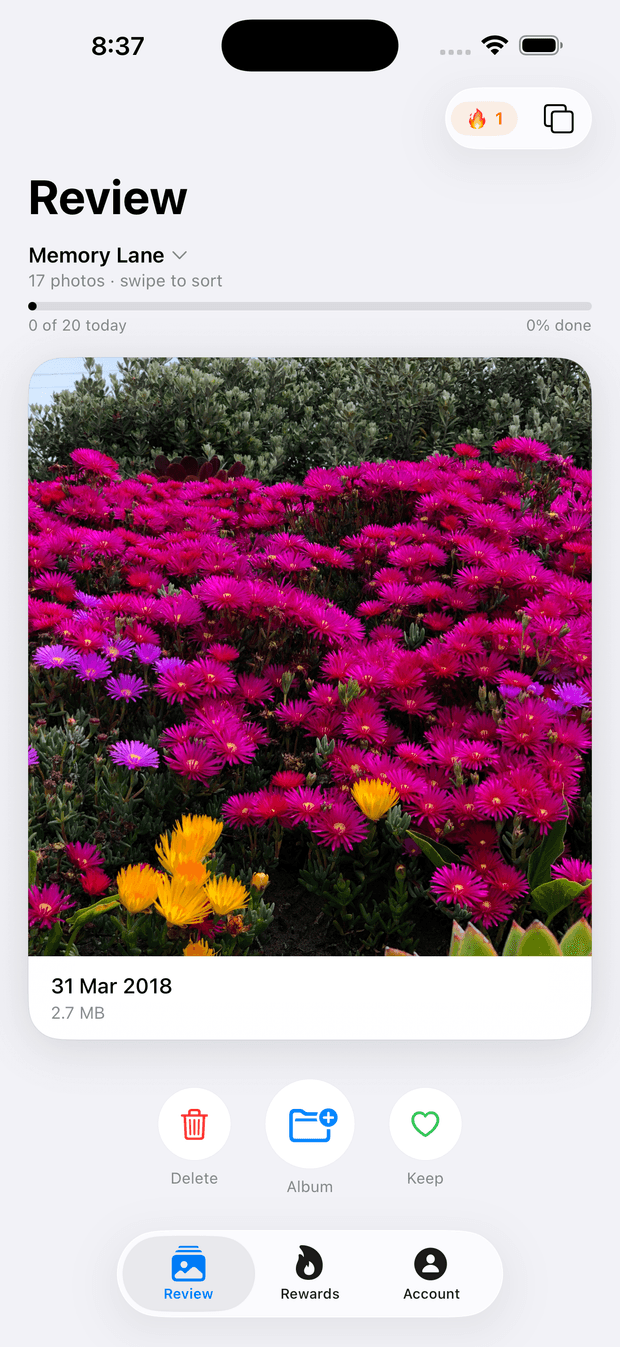
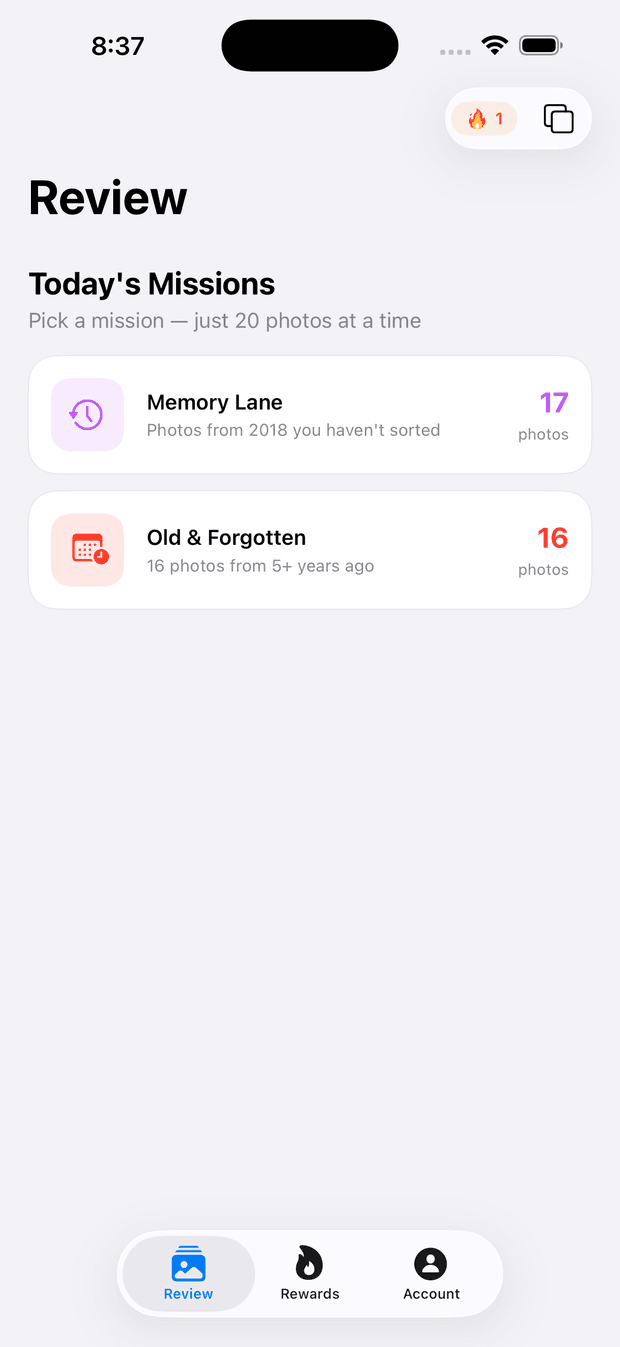
The heart of the app is the daily mission: a small, themed batch of photos — around twenty — pulled from your library for you to make quick calls on. Memory Lane resurfaces old favourites, Screenshot Sweep rounds up the screenshots you never deleted, and Old & Forgotten digs into the years you haven't opened in ages.
For each photo you swipe: right to keep, left to delete, or up to file it into an album. That's the entire interaction — no grid to manage, no bulk-select to wrestle with, and no bottomless scroll of everything you own. When the mission's done, you're done for the day.
Built to be a habit, not a marathon
A camera roll doesn't get cleaned in one heroic Saturday afternoon. We've tried; nobody makes it past the first hour. It gets cleaned twenty photos a day, most days, over a few weeks — so we built the app around that reality instead of fighting it.
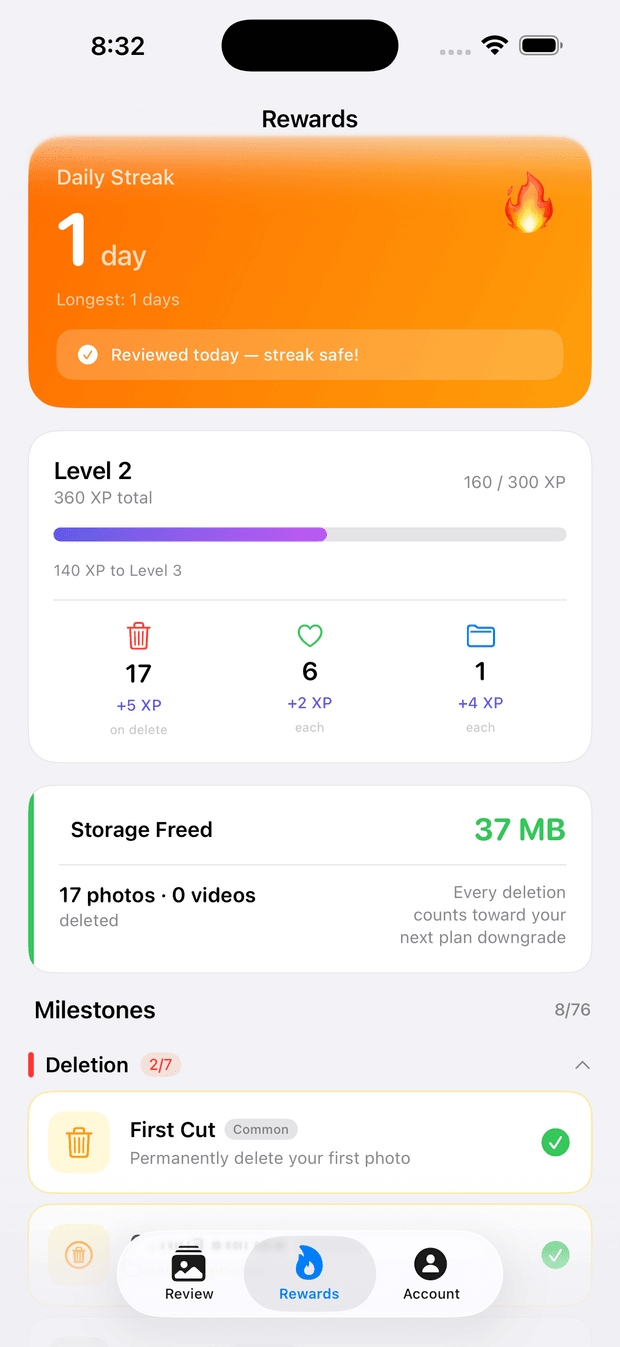
Finishing a mission extends your streak. Reviewing photos earns XP, which moves you up levels and unlocks milestones as you go. It's the same loop that makes language apps stick, pointed at your photo library.
None of that would matter if the payoff were invisible, so the number that actually counts sits front and centre: storage freed. Every photo you delete adds to a running total of the space you've reclaimed. The streak keeps you coming back; the storage counter tells you it was worth it.
What's free, and what's Pro
The free version is genuinely useful on its own — it isn't a trial:
- The full daily mission slate, every day
- One bonus round per day, for when you want to keep going
- Exact-duplicate detection — the byte-for-byte copies quietly clogging your library
- Streaks, XP and milestones
Pro adds the tools for people who want to go faster and deeper:
- Free Roam — swipe through your entire library with no daily limit
- Unlimited bonus rounds
- Near-duplicate detection — the almost-identical burst shots and re-takes that exact matching misses
- Deeper video cleanup
- The full badge system and streak sync across devices
As of July 2026, Pro is A$3.99/month or A$24.99/year, and the annual plan includes a 7-day free trial. The monthly plan doesn't include a trial.
One subscription, both apps
Pro on iOS is the same Pro as on Mac. Subscribe in either app, sign in with the same account on the other, and you're covered on both.
That's the whole workflow we wanted. Tidy on your phone daily, a few minutes at a time, deciding what's actually worth keeping. Then, when you're ready, use the Mac app to archive the keepers to Google Photos or an external SSD and clear them safely out of iCloud — so you can drop to a smaller storage plan. Two apps, one workflow, one subscription.
Get Migrate Moments for iOS
It's free to download and available now on the App Store.

If you're here to solve the storage side too, the Mac app is on the homepage. And if you try the iOS app and something feels missing or annoying, tell us — we read every message at support@migratemoments.com.
Ready to free up your iCloud storage?
Download Migrate Moments free — scan your library in minutes.
